eBay Sold Comps in Google Sheets: A =SOLDMEDIAN() Formula in 12 Lines
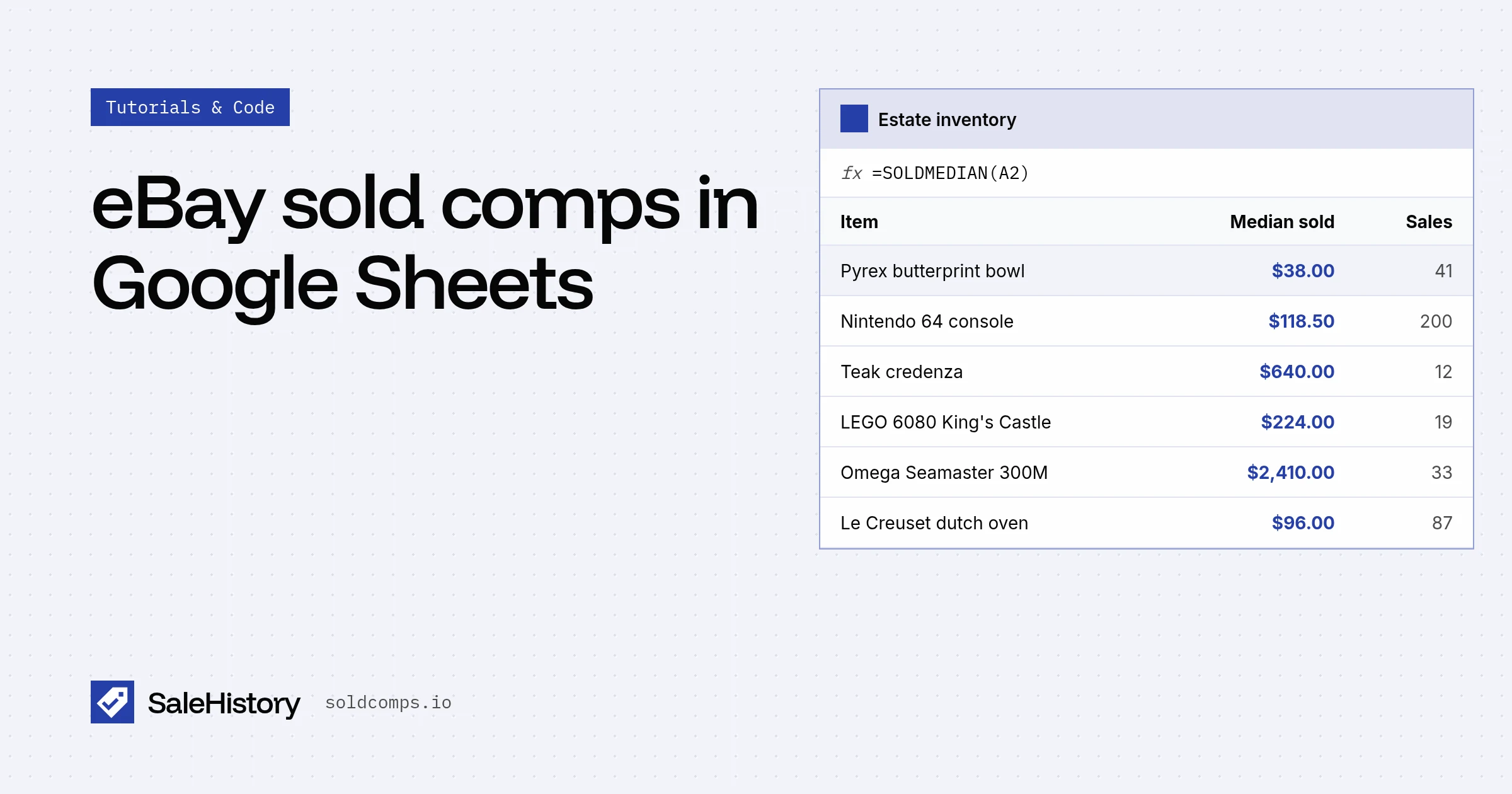
Estate-sale pros and resellers with a pile of inventory don't want a program. They want a column in a spreadsheet that says what each thing sells for. Here's how to get that in about five minutes.
What you'll end up with
| A | B | |
|---|---|---|
| 1 | Item | Median sold |
| 2 | pyrex butterprint bowl | =SOLDMEDIAN(A2) → $38.00 |
| 3 | nintendo 64 console | =SOLDMEDIAN(A3) → $118.50 |
| 4 | mid century teak credenza | =SOLDMEDIAN(A4) → $640.00 |
Step 1: Get a key
Sign up free. You get 100 requests a month with no card, which is enough to price 100 items.
Step 2: Add the script
In your sheet: Extensions → Apps Script. Delete what's there and paste:
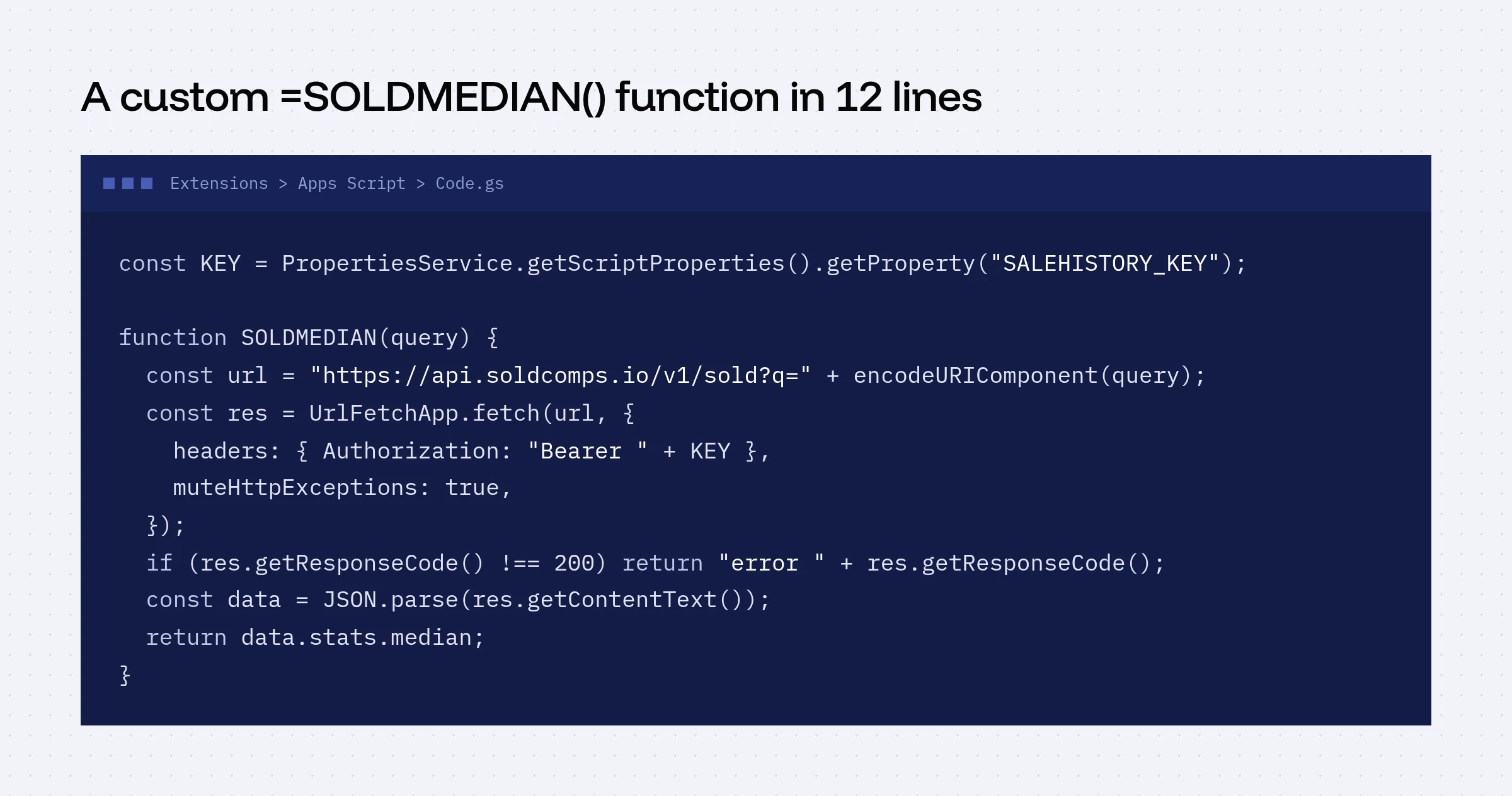
const KEY = PropertiesService.getScriptProperties().getProperty("SALEHISTORY_KEY");

/**
 * Median eBay sold price for an item, last 90 days.
 * @param {string} query What to search, e.g. "nintendo 64 console"
 * @param {string} condition Optional: new, open_box, refurbished, used or for_parts
 * @customfunction
 */
function SOLDMEDIAN(query, condition) {
  if (!query) return "";
  let url = "https://api.soldcomps.io/v1/sold?q=" + encodeURIComponent(query);
  if (condition) url += "&condition=" + encodeURIComponent(condition);
  const res = UrlFetchApp.fetch(url, {
    headers: { Authorization: "Bearer " + KEY },
    muteHttpExceptions: true,
  });
  if (res.getResponseCode() !== 200) return "error " + res.getResponseCode();
  const data = JSON.parse(res.getContentText());
  return data.stats.median;
}
Step 3: Store your key safely
In Apps Script, open Project Settings (gear) → Script Properties → Add script property. Name it SALEHISTORY_KEY and paste your key as the value. Keeping it out of the sheet's cells means people you share the sheet with won't see it.
Step 4: Use it
Back in the sheet, type =SOLDMEDIAN(A2) in B2 and drag down. The first run asks you to authorize the script to make web requests.
Want condition-specific prices? =SOLDMEDIAN(A2, "used").
Add a "how many sold" column
Thin data makes a shaky price. Add a second function so you can see how many clean sales sit behind each median:
function SOLDCOUNT(query) {
  const url = "https://api.soldcomps.io/v1/sold?q=" + encodeURIComponent(query);
  const res = UrlFetchApp.fetch(url, { headers: { Authorization: "Bearer " + KEY }, muteHttpExceptions: true });
  if (res.getResponseCode() !== 200) return "error " + res.getResponseCode();
  const d = JSON.parse(res.getContentText());
  return d.count - d.stats.excluded;
}
Fewer than 5 clean sales? Search more specifically, or price it by hand. (Note: this second formula uses a second request per row.)
Why not IMPORTXML?
The old trick was =IMPORTXML("https://www.ebay.com/sch/i.html?_nkw=...&LH_Sold=1", "//span[@class='s-item__price']"). Since mid-2026 eBay redirects signed-out sold searches to a sign-in page, so Google's fetcher gets a login form instead of prices.
Tips
- Be specific. "Pyrex 403 butterprint mixing bowl" beats "pyrex bowl".
- Mind the quota. Each cell is one request. Sheets caches custom-function results, but editing a cell's input triggers a new request.
- Use the median. The formula returns the median on purpose. Here's why.
Frequently asked questions
Can I use IMPORTXML to get eBay sold prices into Google Sheets?
Not anymore. eBay sold search results now require you to be signed in, so Google's IMPORTXML fetcher gets a sign-in page instead of prices.
How many items can I price in Google Sheets at once?
Each =SOLDMEDIAN cell uses one API request. The free plan includes 100 requests a month; Starter includes 2,500. Sheets caches results, so prices don't refetch every time you open the file.
Is my API key safe in Google Sheets?
Store it in Script Properties rather than in a cell. Anyone with edit access to the script can still read it, so don't share edit access to the script with people you don't trust.
Sources
- Google Apps Script: Custom functions in Google Sheets (accessed Oct 22, 2026)
- Google Apps Script: UrlFetchApp (accessed Oct 22, 2026)
- Google Apps Script: Properties Service (accessed Oct 22, 2026)
SaleHistory sells an eBay sold-listings API, so we have a commercial interest in this topic. We link primary sources so you can check our work. Spotted something out of date? Email hello@soldcomps.io.