eBay Sold Prices in the OpenAI Responses API, Agents SDK and Vercel AI SDK
This guide shows three stacks, each in two ways: the SoldComps MCP server as a hosted tool, and a plain function tool that wraps the REST API. Every snippet follows the current official docs (linked in the sources), and the TypeScript ones were type-checked against the current SDKs, on Nov 13, 2026. Building on Claude instead? See the Claude API MCP connector guide.
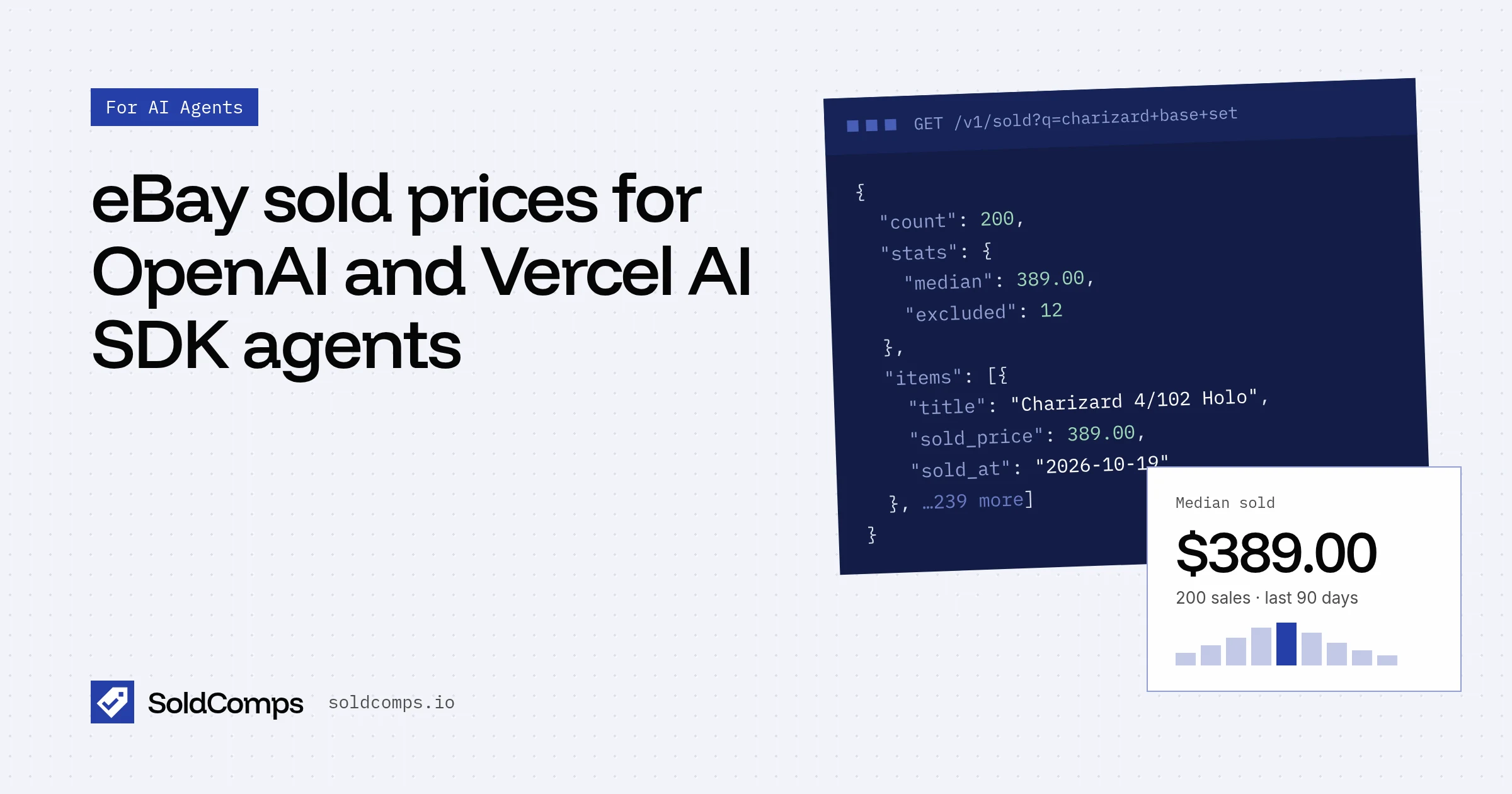
Both routes return the same core numbers: the median sold price, the middle half of sales (p25 to p75), how many sales were counted, and recent sales with eBay links.
| Remote MCP | Function tool over /v1/sold | |
|---|---|---|
| Code | One tool entry | A function and a schema |
| Key | Optional (free per-IP allowance without one) | Required |
| Sales per lookup | Up to 20 listed | Up to 200 (limit) |
| Filters | condition new/used, site | Condition, site, price range, buying format, days |
| Cost with a key | 20 credits + 1 per sale listed, max 40 | 20 credits + 1 per sale returned |
OpenAI Responses API: remote MCP
The Responses API connects to remote MCP servers for you. Python (pip install openai):
import os
from openai import OpenAI

client = OpenAI()

resp = client.responses.create(
    model="gpt-6-astra",
    tools=[{
        "type": "mcp",
        "server_label": "soldcomps",
        "server_description": "Looks up what items actually sold for on eBay (completed sales, last 90 days).",
        "server_url": "https://www.soldcomps.io/mcp",
        "allowed_tools": ["get_sold_comps"],
        "require_approval": "never",
        "headers": {"Authorization": f"Bearer {os.environ['SOLDCOMPS_API_KEY']}"},  # optional
    }],
    input="What does a used Nintendo Switch OLED sell for on eBay?",
)
print(resp.output_text)
TypeScript (npm install openai):
import OpenAI from "openai";

const client = new OpenAI();

const resp = await client.responses.create({
  model: "gpt-6-astra",
  tools: [
    {
      type: "mcp",
      server_label: "soldcomps",
      server_description: "Looks up what items actually sold for on eBay (completed sales, last 90 days).",
      server_url: "https://www.soldcomps.io/mcp",
      allowed_tools: ["get_sold_comps"],
      require_approval: "never",
      headers: { Authorization: `Bearer ${process.env.SOLDCOMPS_API_KEY}` }, // optional
    },
  ],
  input: "What does a used Nintendo Switch OLED sell for on eBay?",
});

console.log(resp.output_text);
Notes:
require_approval: "never"skips OpenAI's approval step. SoldComps tools are read-only lookups, so that's reasonable here. Leave approvals on (the default) if you'd rather review each call.allowed_toolslimits the import toget_sold_comps. Drop it to also exposeget_pricing,get_api_docs,search_guidesandwhat_are_sold_comps.headerssends your key. It's in OpenAI's SDK types for the MCP tool ("Optional HTTP headers to send to the MCP server"). Without it, lookups use the free allowance of 5 a day and 20 a month per IP address, counted against OpenAI's addresses, so it can run out. Get a key free at /signup.- Output items:
mcp_list_toolsshows what was imported, and eachmcp_callhas theargumentsthe model sent, the server'soutput, and anerrorif the call failed. Keepmcp_list_toolsin the context of follow-up turns so OpenAI doesn't list the tools again.
OpenAI Agents SDK (Python): HostedMCPTool
HostedMCPTool takes the same dict as the Responses API tool, and OpenAI runs the MCP connection (pip install openai-agents):
import asyncio
import os

from agents import Agent, HostedMCPTool, Runner

agent = Agent(
    name="Pricing assistant",
    instructions=(
        "Price items from completed eBay sales with get_sold_comps. Use an eBay-style query "
        "(model number, size, grade, -lot). Report the median, the p25 to p75 range and the "
        "number of counted sales. Say 'low confidence' under 10 sales. Cite the source URL."
    ),
    tools=[
        HostedMCPTool(
            tool_config={
                "type": "mcp",
                "server_label": "soldcomps",
                "server_url": "https://www.soldcomps.io/mcp",
                "allowed_tools": ["get_sold_comps"],
                "require_approval": "never",
                "headers": {"Authorization": f"Bearer {os.environ['SOLDCOMPS_API_KEY']}"},
            }
        )
    ],
)


async def main() -> None:
    result = await Runner.run(agent, "What does a used Nintendo Switch OLED sell for on eBay?")
    print(result.final_output)


asyncio.run(main())
The Agents SDK docs also cover MCPServerStreamableHttp, which connects from your own process instead of OpenAI's. Use it if you want the connection (and the per-IP allowance, if you skip the key) to come from your machine.
OpenAI Responses API: a function tool over /v1/sold
When you want the full API, define one function and run the loop yourself. The model never sees limit: the code fixes it at 10, so every call costs at most 30 credits. Stats are computed from every matching sale (up to 200) whatever limit is.
import json
import os

import requests
from openai import OpenAI

client = OpenAI()

TOOLS = [{
    "type": "function",
    "name": "get_ebay_sold_comps",
    "description": (
        "What an item actually SOLD for on eBay (completed sales, last 90 days). Use for any "
        "'what is X worth' question about one specific item. Returns median, p25, p75, counted "
        "sales and recent sales with links. Write q like an eBay search: model number, size, "
        "grade; exclude bundles with -lot."
    ),
    "strict": True,
    "parameters": {
        "type": "object",
        "properties": {
            "q": {"type": "string", "description": "eBay-style search, e.g. 'nintendo switch oled -lot'"},
            "condition": {
                "type": "string",
                "enum": ["any", "new", "open_box", "refurbished", "used", "for_parts"],
                "description": "Use any when the condition is unknown.",
            },
            "site": {"type": "string", "enum": ["EBAY_US", "EBAY_GB", "EBAY_DE"]},
        },
        "required": ["q", "condition", "site"],
        "additionalProperties": False,
    },
}]


def get_ebay_sold_comps(q, condition, site):
    params = {"q": q, "site": site, "limit": 10}  # 20 + up to 10 credits per call
    if condition != "any":
        params["condition"] = condition
    r = requests.get(
        "https://www.soldcomps.io/v1/sold",
        params=params,
        headers={"Authorization": f"Bearer {os.environ['SOLDCOMPS_API_KEY']}"},
        timeout=60,
    )
    try:
        body = r.json()
    except ValueError:
        return {"error": {"code": "http_error", "status": r.status_code}}
    if not r.ok:
        return {"error": body.get("error")}  # errors are never billed; the model can explain or retry
    s = body["stats"]
    return {
        "query": body["query"],
        "counted_sales": body["count"] - s["excluded"],
        "stats": s,
        "recent": [
            {"title": i["title"], "price": i["sold_price"]["value"], "sold_at": i["sold_at"], "url": i["url"]}
            for i in body["items"] if not i["flags"]
        ],
        "source": "https://www.soldcomps.io",
    }


input_list = [{"role": "user", "content": "What does a used Nintendo Switch OLED sell for on eBay?"}]
for _ in range(5):  # cap the tool loop
    resp = client.responses.create(model="gpt-6-astra", tools=TOOLS, input=input_list)
    input_list += resp.output
    calls = [item for item in resp.output if item.type == "function_call"]
    if not calls:
        break
    for call in calls:
        result = get_ebay_sold_comps(**json.loads(call.arguments))
        input_list.append({"type": "function_call_output", "call_id": call.call_id, "output": json.dumps(result)})

print(resp.output_text)
Run it with OPENAI_API_KEY and SOLDCOMPS_API_KEY=sh_live_... set. Strict mode needs every property in required, which is why condition has an any value instead of being optional.
Vercel AI SDK: MCP client
The AI SDK's MCP client lives in @ai-sdk/mcp (npm install ai @ai-sdk/mcp). It connects from your own process over Streamable HTTP:
import { createMCPClient, type MCPClient } from "@ai-sdk/mcp";
import { generateText, isStepCount } from "ai";

let mcpClient: MCPClient | undefined;

try {
  mcpClient = await createMCPClient({
    transport: {
      type: "http",
      url: "https://www.soldcomps.io/mcp",
      headers: { Authorization: `Bearer ${process.env.SOLDCOMPS_API_KEY}` }, // optional
    },
  });

  const tools = await mcpClient.tools();

  const { text } = await generateText({
    model: "anthropic/claude-sonnet-5.5",
    tools,
    stopWhen: isStepCount(5),
    prompt: "What does a used Nintendo Switch OLED sell for on eBay?",
  });
  console.log(text);
} finally {
  await mcpClient?.close();
}
The model string goes through the Vercel AI Gateway, as in the AI SDK docs. Swap in any model or provider you use. stopWhen: isStepCount(5) lets the model call the tool and then answer; without it, generateText stops after one step. (Older AI SDK examples call it stepCountIs, which current versions still export as an alias.)
With streamText, close the client in the onEnd callback instead of finally.
Vercel AI SDK: a function tool over /v1/sold
import { generateText, isStepCount, tool } from "ai";
import { z } from "zod";

const getEbaySoldComps = tool({
  description:
    "What an item actually SOLD for on eBay (completed sales, last 90 days). Use for any 'what is X worth' question about one specific item. " +
    "Write q like an eBay search: model number, size, grade; exclude bundles with -lot.",
  inputSchema: z.object({
    q: z.string().describe("eBay-style search, e.g. 'nintendo switch oled -lot'"),
    condition: z.enum(["new", "open_box", "refurbished", "used", "for_parts"]).optional(),
    site: z.enum(["EBAY_US", "EBAY_GB", "EBAY_DE"]).default("EBAY_US"),
  }),
  execute: async ({ q, condition, site }) => {
    const url = new URL("https://www.soldcomps.io/v1/sold");
    url.searchParams.set("q", q);
    url.searchParams.set("site", site);
    url.searchParams.set("limit", "10"); // cost: 20 + up to 10 credits; stats use every match
    if (condition) url.searchParams.set("condition", condition);

    const res = await fetch(url, { headers: { Authorization: `Bearer ${process.env.SOLDCOMPS_API_KEY}` } });
    const body = await res.json();
    if (!res.ok) return { error: body.error }; // never billed; the model can explain or retry
    const counted = body.count - body.stats.excluded;
    return {
      query: body.query,
      counted_sales: counted,
      stats: body.stats,
      recent: body.items
        .filter((i: { flags: string[] }) => i.flags.length === 0)
        .map((i: { title: string; sold_price: { value: number }; sold_at: string; url: string }) => ({
          title: i.title, price: i.sold_price.value, sold_at: i.sold_at, url: i.url,
        })),
      source: "https://www.soldcomps.io",
    };
  },
});

const { text } = await generateText({
  model: "anthropic/claude-sonnet-5.5",
  tools: { get_ebay_sold_comps: getEbaySoldComps },
  stopWhen: isStepCount(5),
  prompt: "What does a used Nintendo Switch OLED sell for on eBay?",
});
console.log(text);
Install ai and zod, and set SOLDCOMPS_API_KEY. Both TypeScript files use top-level await, so run them as ES modules.
What to hand the model
Whichever stack you use, the tool result is what the model reasons over. Keep it small and labelled:
stats.median,stats.p25,stats.p75and the currency.- Counted sales:
count - stats.excluded. Under 10 means low confidence. - A few recent counted sales (empty
flags) with title, price, date and URL, so the model can cite them. - A source URL. The agent playbook has the rules for interpreting and citing.
Don't pass all 200 raw items unless the task needs them. It costs credits (limit) and tokens, and the stats already summarize them.
Errors and retries
API errors come back with an error.code and are never billed:
429 rate_limited: wait forRetry-After, then retry.502 upstream_unavailable: eBay didn't answer cleanly. Retry after a few seconds with backoff.503 daily_capacity_reached: free-tier capacity for new searches is used up until midnight UTC. Paid plans and credits aren't affected.402 quota_exceeded: out of credits.error.credits_neededanderror.credits_remainingsay why. Don't retry; top up or upgrade.400 invalid_param:error.paramnames the bad parameter.
Full list: API docs. Plans and credits: pricing.
Related
- Agent playbook: when to call, query writing and what not to claim.
- Price a whole inventory with an AI agent: batch pricing with plain
requests. - Build a pricing agent with the Claude API.
- eBay sold prices in ChatGPT and in Claude.
- Server details: MCP server. Everything for agents: /agents. Background: sold comps.
Frequently asked questions
How do I use the SoldComps MCP server with the OpenAI Responses API?
Add a tool with type mcp, server_label soldcomps, server_url https://www.soldcomps.io/mcp and require_approval never. OpenAI lists the server's tools (an mcp_list_tools item), calls them as the model needs (mcp_call items), and returns the answer in output_text.
How do I send my SoldComps API key through the OpenAI MCP tool?
Add headers: {"Authorization": "Bearer sh_live_..."} to the mcp tool. The headers field is in OpenAI's SDK types for the MCP tool. Without it, lookups use the free per-IP allowance, counted against OpenAI's addresses.
Does the Vercel AI SDK support remote MCP servers?
Yes. createMCPClient from @ai-sdk/mcp with transport { type: 'http', url } connects to a Streamable HTTP server, and mcpClient.tools() returns tools you pass to generateText or streamText. Close the client when you're done.
MCP tool or my own function tool: which should I use?
MCP is less code and stays in sync with the server. A function tool over GET /v1/sold gives you up to 200 sales, price-range, buying-format and day filters, a fixed limit to control cost, and full control over what the model sees.
Sources
- OpenAI API docs: MCP servers (remote MCP tool in the Responses API) (accessed Nov 13, 2026)
- OpenAI API docs: Function calling (accessed Nov 13, 2026)
- OpenAI Agents SDK (Python): Model context protocol (accessed Nov 13, 2026)
- AI SDK docs: Model Context Protocol (MCP) (accessed Nov 13, 2026)
- AI SDK docs: Tool calling (accessed Nov 13, 2026)
SoldComps sells an eBay sold-listings API, so we have a commercial interest in this topic. We link primary sources so you can check our work. Spotted something out of date? Email hello@soldcomps.io.